
Converts intact rock and rock mass inputs (mi, σci, GSI, D) into equivalent Mohr–Coulomb c′ and φ′ plus rock mass tensile strength, uniaxial compressive strength and deformation modulus, per the Generalised Hoek–Brown criterion of Hoek, Carranza-Torres & Corkum (2002). The mi table, the GSI chart and the disturbance-factor guidance are on screen and clickable. Free with a KeoGeo sign-in.
v1.2 · runs in your browser · free with an account
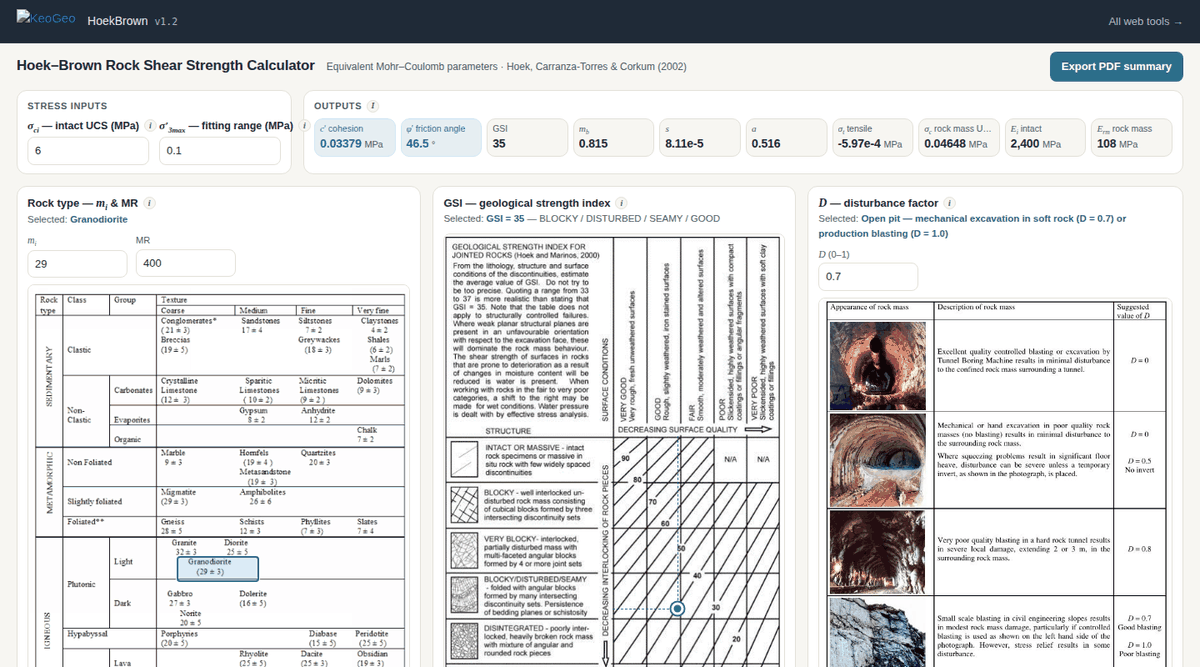
Stress inputs and outputs in the bar across the top; the rock-type table, the interactive GSI chart and the disturbance-factor guidance side by side below, with the strength envelopes beneath.
Most engineers estimate rock mass strength by looking up three charts and typing the numbers into a spreadsheet. HoekBrown puts the charts on the page and does the fit:
Need to run many cases? KeoGeo Pro adds a CSV batch processor to this tool — A$20/month, cancel any time.
Fitted Mohr–Coulomb parameters for your σ′3 range, shown in the output bar and on the shear-strength envelope.
σt, σc, Erm and the constants mb, s and a, in maths notation with sub- and superscripts.
Principal-stress and τ–σn plots of Hoek–Brown versus the Mohr–Coulomb fit, updated as you change any input.
A print-ready summary of inputs, chart selections, results and the version stamp.
Every calculation in HoekBrown is tied to a published source, and the in-app Sources & References section repeats this list next to the calculations themselves:
All KeoGeo tools are provided for preliminary assessment and educational purposes. Results must be verified by a suitably qualified engineer before use in design or construction; the full disclaimer is inside the app and in our terms.
Use an account you already have. Your first sign-in creates your KeoGeo account automatically.
Card details are handled by Stripe and never touch KeoGeo.