
Import a CPTu sounding (CSV, TXT or pasted from a spreadsheet) and get Robertson (2009) normalised parameters and soil behaviour types, published design-parameter correlations, Boulanger & Idriss (2014) or NCEER liquefaction triggering with LPI, LSN and free-field settlement — plus automatic AS 1726:2017 stratigraphy across a multi-CPT site. Nothing is uploaded; it runs entirely in your browser.
v2.1.0 · runs in your browser · free with an account
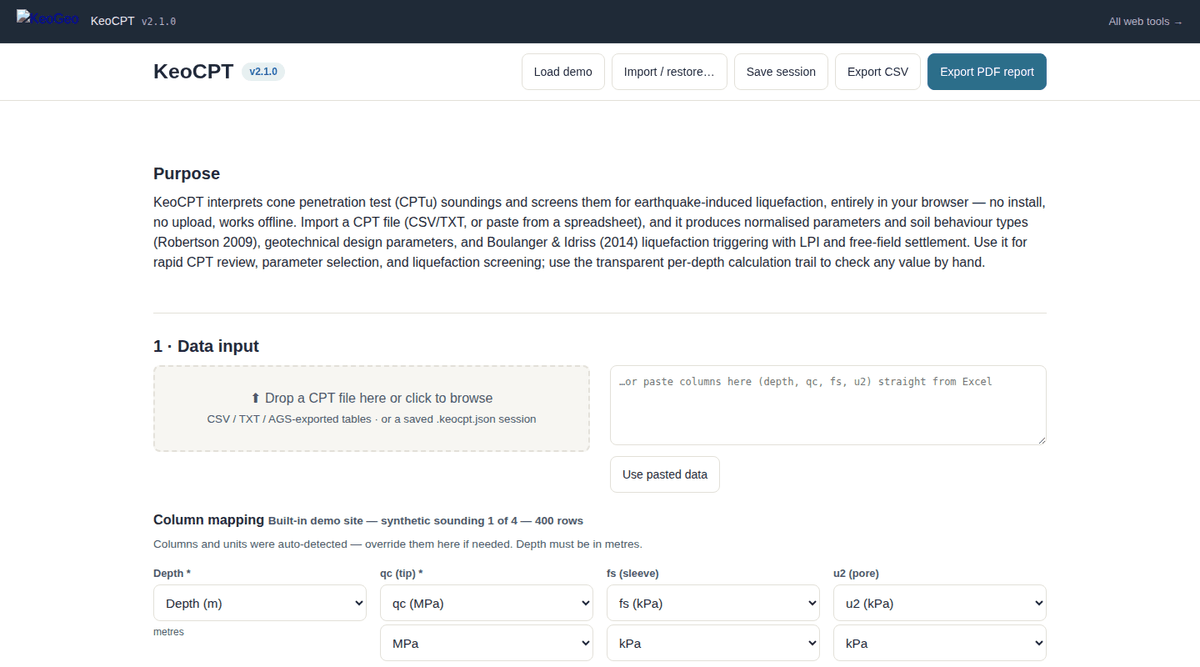
Data import and column mapping at the top; interpretation profiles, the SBTn chart, the liquefaction screen and the per-depth calculation trail follow down the page.
KeoCPT works the way a CPT review actually goes — clean the data, normalise it, classify it, pull parameters, then screen for liquefaction — and keeps every step visible:
.keocpt-layers.json export straight into the bearing capacity suite; Excel site export with locations, per-sounding stratigraphy and depth bands.qt, fs, u2, Ic, SBTn zone and every derived parameter plotted against depth — click any chart to move the calculation trail to that depth.
Factor of safety, LPI, LSN and settlement profiles for your design earthquake, with the method's validity range flagged.
AS 1726 layer table, plan view and 3D fence diagram across all soundings, exportable to Excel.
Per-depth maths in proper notation with equation citations; PDF report that embeds a session file for full restore, plus CSV export.
Every calculation in KeoCPT is tied to a published source, and the in-app Sources & References section repeats this list next to the calculations themselves:
All KeoGeo tools are provided for preliminary assessment and educational purposes. Results must be verified by a suitably qualified engineer before use in design or construction; the full disclaimer is inside the app and in our terms.
Use an account you already have. Your first sign-in creates your KeoGeo account automatically.
Card details are handled by Stripe and never touch KeoGeo.